Role Navigation
Swipe roles, tap to open submenuStudent • Dashboard
Standalone submenu content with role-aligned workflow and execution checkpoints.
Overview
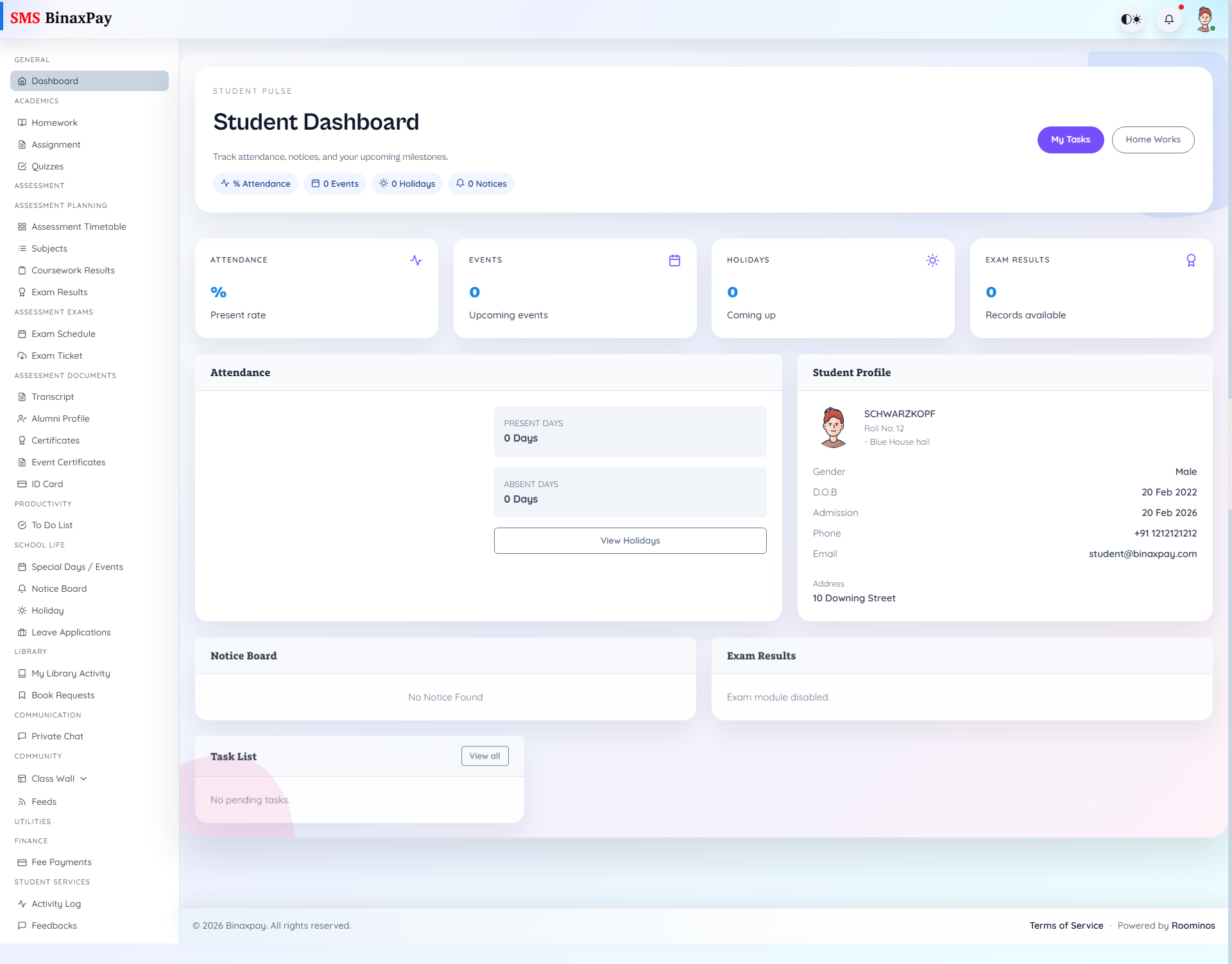
Dashboard (student/dashboard/*) is the daily summary panel for attendance, events, holidays, results preview, notices, and pending tasks. Quick actions route to My Tasks and Home Works so students can move from overview to execution quickly.
Status notes include empty states for notices/results, optional library-card alerts, and exam-module disabled messages when configuration is off.
Workflow Execution Steps
- Open dashboard and review pending homework, assignment, and quiz indicators.
- Check notices and task summary for immediate institutional actions.
- Identify top-priority deadlines for the day.
- Jump to owning modules and return to confirm priority reduction.
Reference Screenshots