Role Navigation
Swipe roles, tap to open submenuParent • Dashboard
Standalone submenu content with role-aligned workflow and execution checkpoints.
Overview
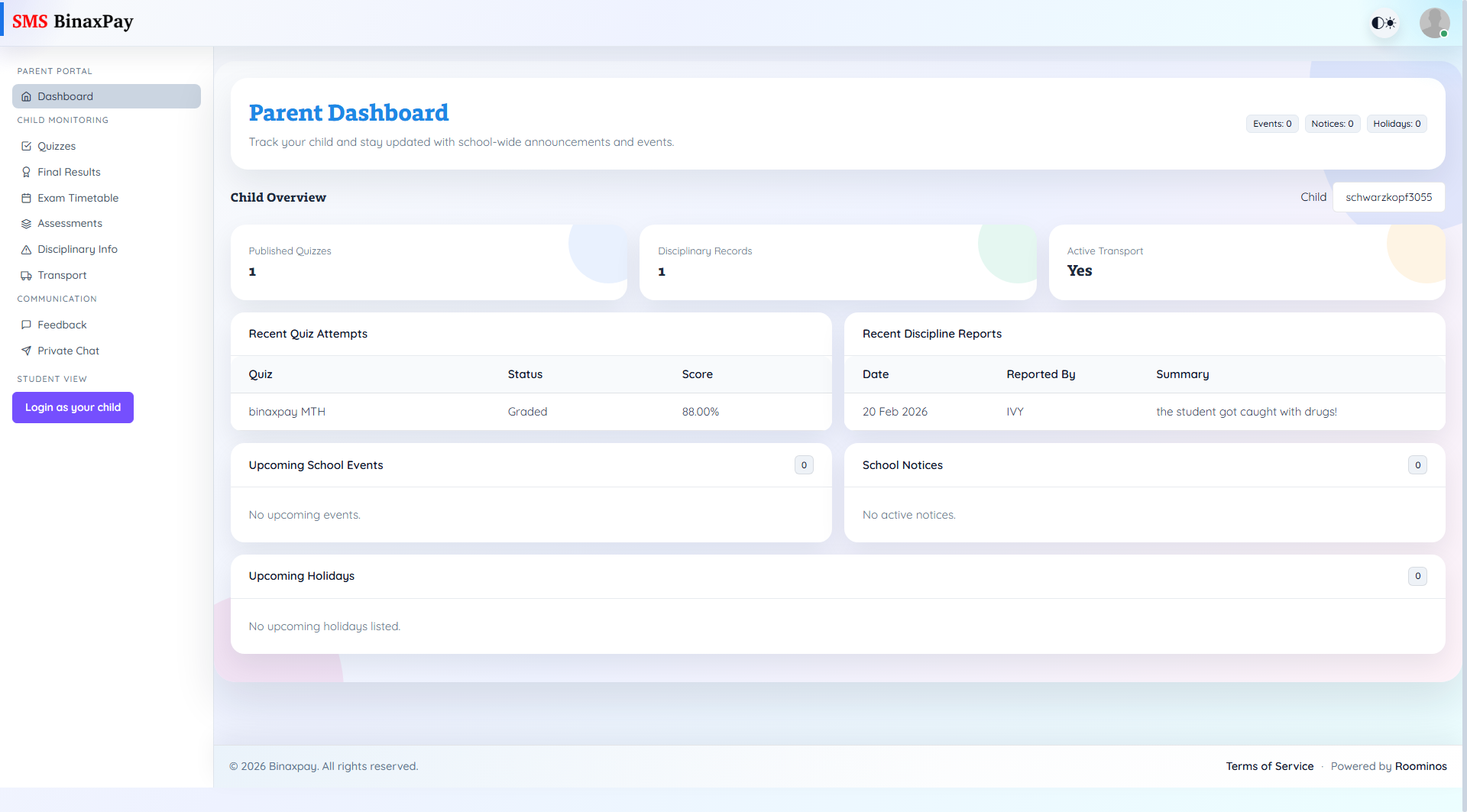
Dashboard is the parent command center and should always be the first page used after login because it combines child selector context, sibling-monitoring prompts, quick counts, and near-term school updates in a single place. The page shows recent quiz attempts, recent discipline records, upcoming school events, active notices, and upcoming holidays, so it is the fastest place to determine whether deeper drill-down is needed in a specific module. Parent users should avoid interpreting metrics until the correct child is selected from the Child dropdown because every subsequent module follows that selected child context.
Workflow Execution Steps
- Open dashboard and confirm selected child context first.
- Review high-level indicators and recent records.
- Enable sibling monitoring prompt where relevant.
- Branch into the required child monitoring module.
Reference Screenshots